
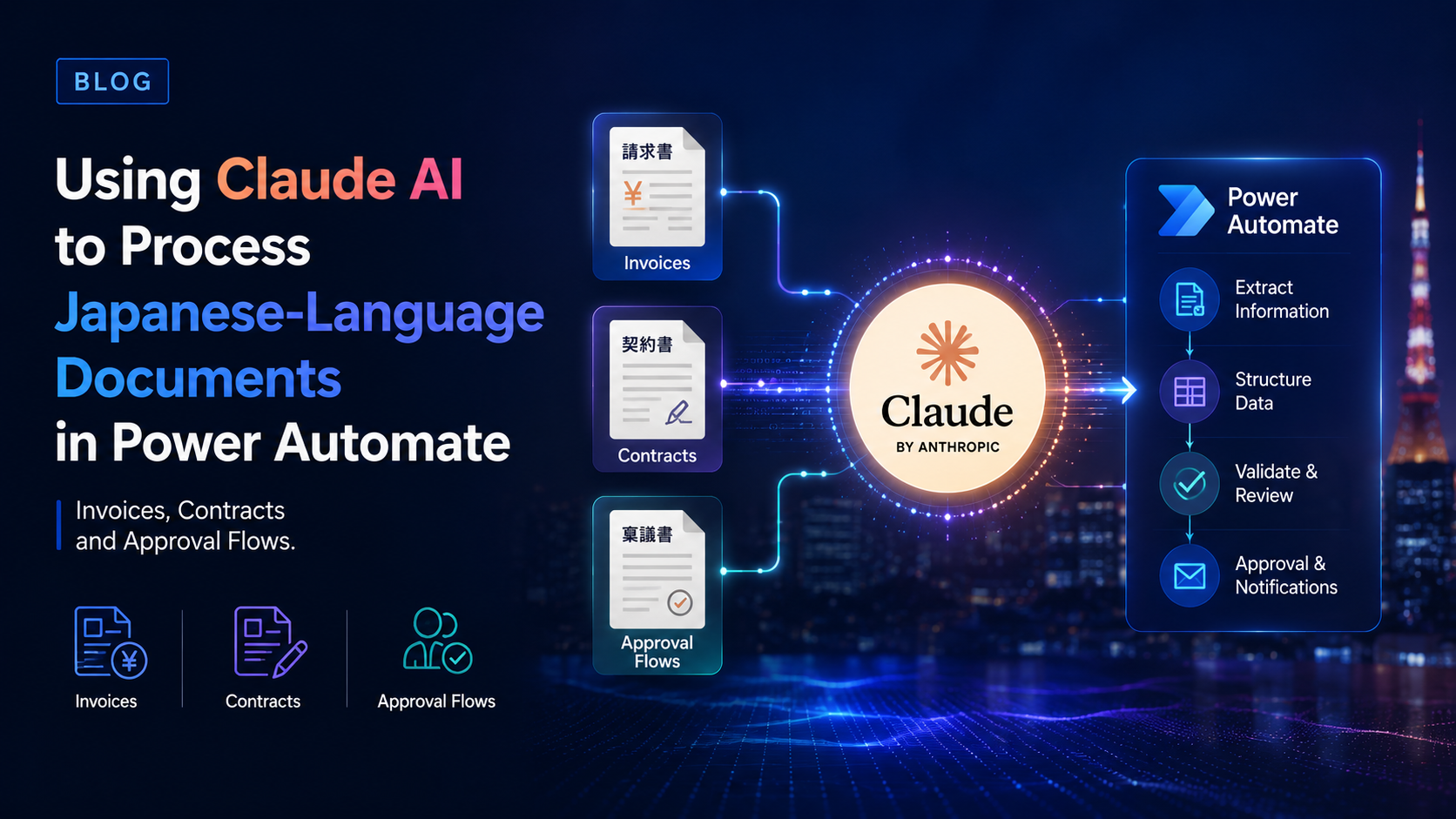
This blog will cover the following points:
- Introduction
- Why Japanese Documents Break Standard Automation Workflows
- How Claude Handles Japanese Document Complexity
- Processing Japanese Invoices via Power Automate
- Automating Contract Review and Compliance Checks
- Building Bilingual Approval Flows with Business Central
- Conclusion
Introduction
Finance and operations teams at foreign companies in Japan face a problem that generic automation tools were never built to solve. Vendor invoices arrive in Japanese, with date formats following the Japanese Imperial calendar, tax fields structured for Japan’s qualified invoice system, and vendor names in kanji that do not match anything in a global ERP’s vendor master.
Contracts are longer, more formal, and filled with legal terminology that requires genuine comprehension, not just field extraction. Approval chains follow the Ringi model, where consensus at multiple levels is required before any decision can be formalised.
Standard rule-based automation collapses under these conditions. Claude AI, connected to Microsoft Power Automate via HTTP, does not. This blog walks through exactly how to build Japanese document processing workflows that actually work in production.
Why Japanese Documents Break Standard Automation Workflows
Most invoice automation tools are built around predictable, structured document formats. Japanese business documents routinely break those assumptions.
Japanese invoices use the Reiwa era date format alongside the Gregorian calendar, sometimes within the same document. Tax fields reflect Japan’s qualified invoice issuer system, introduced in 2023, which requires specific consumption tax amounts and registration numbers to appear in a defined format. Vendor names appear in kanji, hiragana, or katakana, with no standardised mapping to Western-language equivalents in a global vendor master.
The challenge is not simply translation. It is translation that preserves structure, formatting, and business context so the output can flow directly into ERP systems and automation pipelines. A line-item invoice total means nothing if the translated output scrambles the table layout.
Standard OCR tools and template-based extraction models break when the document layout changes, which in Japan, with the sheer variety of vendor formats, happens constantly. Claude’s approach is different. It reads documents as a reasoning model, not a template-matching engine, which means layout variation does not break the extraction.
How Claude Handles Japanese Document Complexity
Claude’s large context window and multilingual reasoning capabilities make it particularly well-suited for the Japanese document environment.
By chaining Claude’s language and vision models with Power Automate, teams can completely automate document ingestion, data extraction, and routing for Japanese corporate approvals. Claude handles mixed English and Japanese content natively, extracting structured data from fields written in Japanese while returning output in a consistent English JSON format that downstream systems can consume without additional transformation.
For Japanese invoice processing, a well-designed prompt instructs Claude to extract specific fields including invoice number, issue date in standardised YYYY-MM-DD format, vendor name, line items, subtotal, consumption tax amount, and the qualified invoice issuer registration number. Claude normalises the date format automatically, which prevents errors in Business Central and other ERP systems that expect a consistent date structure.
For contracts, Claude can summarise obligations, flag non-standard clauses against a defined checklist, identify renewal dates and penalty conditions, and translate specific Japanese legal terminology into English, all in a single API call from within a Power Automate flow.
Companies using Claude API for automation report average efficiency gains of 40 to 60 percent in document processing, customer service, and compliance workflows. For Japan-based operations teams handling high volumes of bilingual documentation, those gains are directly measurable in reduced finance team hours.
Processing Japanese Invoices via Power Automate
The practical implementation follows a four-stage pipeline.
Stage 1: Document ingestion. A Power Automate flow monitors a SharePoint folder or an Outlook inbox for incoming invoice files. When a new PDF or image arrives, the flow converts it to base64 format for processing. One accountant described building a Power Automate flow triggered by new files uploaded to a specific SharePoint folder, which analyses and extracts data from documents in various layouts, file types, languages, and currencies, then returns an Excel file formatted for accounting system import.
Stage 2: Claude extraction via HTTP. The flow calls the Anthropic API using the HTTP action, passing the document content alongside a structured system prompt designed specifically for Japanese invoice extraction. Claude returns a JSON object containing all extracted fields, normalised to the format Business Central expects.
Stage 3: Validation and logic checks. A Parse JSON step extracts the structured fields. Power Automate conditions cross-reference extracted vendor names against the Business Central vendor master, validate that the consumption tax amount matches the line item subtotal, and flag invoices where the qualified invoice registration number is absent or does not follow the expected format.
Stage 4: Routing and ERP entry. Invoices that pass validation are posted directly to Business Central purchase payables. Invoices that fail validation or fall above a defined threshold are routed to a finance manager via a Teams approval request, with Claude’s extracted summary and the flagged issue attached so the reviewer has full context without opening the original document.
Automating Contract Review and Compliance Checks
Contract processing follows a similar architecture but with a different prompt design.
When a new contract document is uploaded to SharePoint, Power Automate triggers a Claude API call with a prompt that instructs Claude to identify the contract type, extract key dates including start date, end date, and renewal deadline, summarise the primary obligations of each party in plain English, flag any clauses that deviate from standard terms as defined in the prompt, and translate specific Japanese legal terms that appear in the document.
Claude returns this as a structured JSON object. Power Automate writes the key dates to a Dataverse table that feeds a Power BI dashboard showing upcoming renewals and contract obligations across the Japan operation. High-risk flags trigger a Teams notification to the legal or compliance team with Claude’s analysis already attached.
This removes the manual step of having a bilingual staff member review every incoming contract before routing it. The team focuses their attention on the contracts Claude has flagged, rather than processing every document from scratch.
Building Bilingual Approval Flows with Business Central
The approval layer is where the Japan-specific design matters most.
Japan’s consensus-based Ringi approval process requires multi-level review, often across departments, before a financial commitment can be confirmed. A Power Automate approval flow built for Japan should reflect this structure rather than replacing it with a single-approver workflow that the local team will work around.
Claude’s role in the approval flow is to generate the approval summary. When an invoice or contract reaches the approval stage, Claude produces a concise bilingual summary in both Japanese and English, including the key figures, the vendor or counterparty, the obligation being approved, and any flags from the extraction stage. This summary is attached to the approval request sent via Teams, so Japanese-language managers can review in Japanese while headquarters can track in English.
In Business Central, Power Automate document approvals apply to purchase orders, purchase invoices, sales orders, and sales invoices. When Claude-powered extraction and validation sit upstream of these approval flows, the data arriving in Business Central is already clean, classified, and correctly formatted, removing the manual correction step that currently consumes significant accounts payable time in most Japan subsidiaries.
Conclusion
Processing Japanese-language documents in Power Automate is no longer a workaround project. With Claude AI connected via HTTP, the same Microsoft stack that foreign companies already run in Japan can handle invoice extraction, contract review, and bilingual approval routing in a single, integrated workflow.
The result is less manual work for finance and operations teams, fewer errors entering Business Central, and a faster, more transparent approval process that works with Japan’s business culture rather than against it.
Sysamic K.K. is a Tokyo-based Microsoft Dynamics 365 Business Central partner specialising in Power Automate and AI integrations for foreign companies operating in Japan. We design and implement Claude-powered document processing workflows, bilingual approval flows, and Business Central integrations with full attention to Japan’s qualified invoice requirements, compliance environment, and the operational patterns that make Japan different from every other market. If your team is still processing Japanese documents manually, we would be glad to help change that. Email us at info@sysamic.com or fill out our contact form here to get in touch.