
Introduction
AI agents are one of the most talked-about features in Microsoft Dynamics 365 Business Central, but finance leaders keep asking the same practical question: what will they actually cost? The answer is not a per-user license fee. Business Central AI agents are billed on consumption, measured in Copilot Credits, so your cost depends on how many invoices, receipts, and customer requests the agents handle each month. That makes budgeting easier once you know the rates, and risky if you do not. This guide explains how Copilot Credits work and how to forecast your spend before you switch anything on.
This blog will cover the following points
- What Copilot Credits are and how they are billed
- What is included in your license and what is extra
- Credit costs for the Sales Order, Payables, and Expense agents
- Worked monthly examples
- How to set up billing and monitor usage
- How Sysamic can help you budget and adopt agents
What Are Copilot Credits?
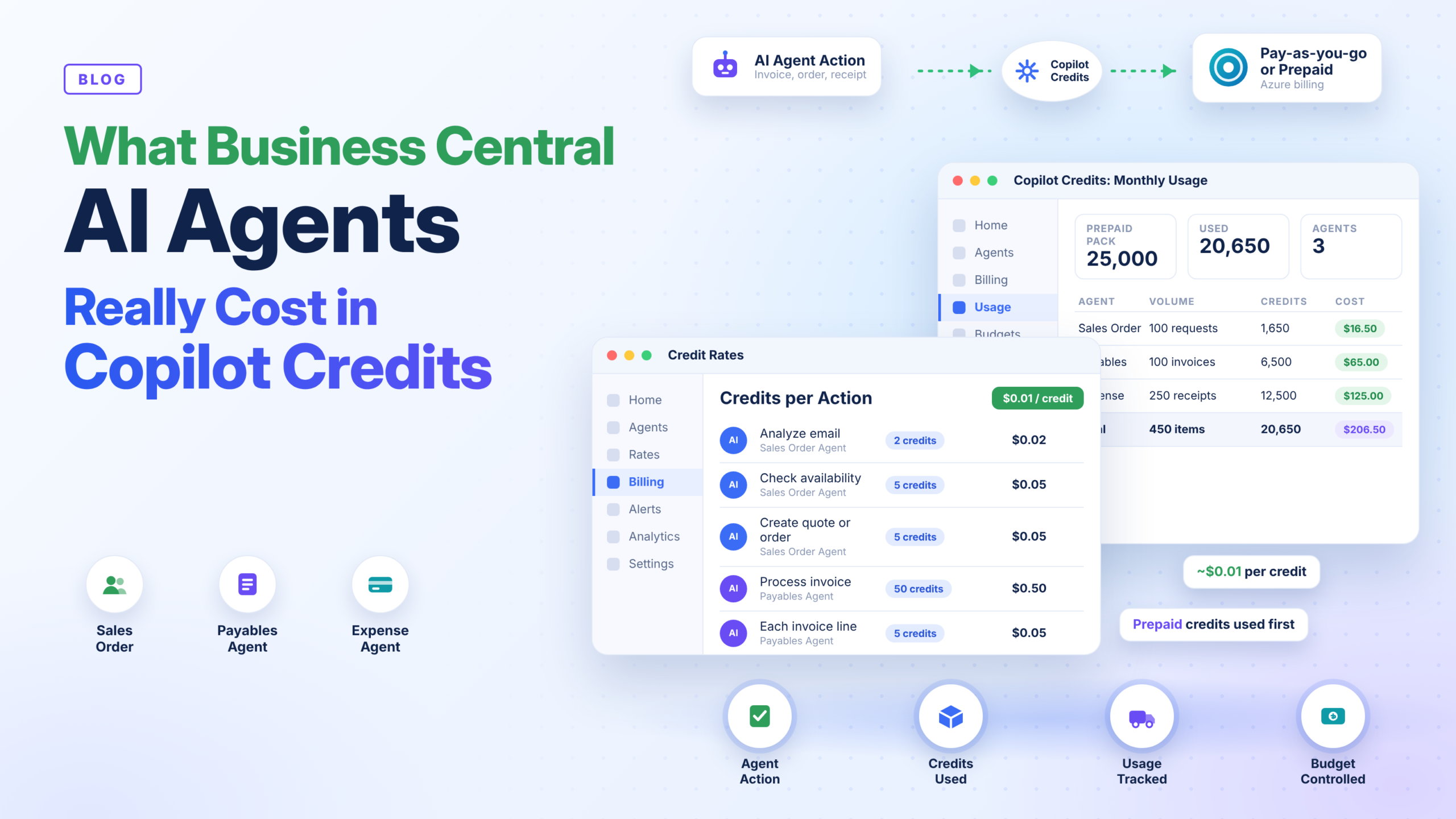
Copilot Credits are the billing units that measure AI usage. Selected Business Central agent capabilities charge per use, namely the Sales Order Agent, the Payables Agent, and the Expense Agent, which is still in preview. Billing events follow Copilot Studio’s generative answer and agent action scenarios. The credits consumed depend on how the agent is designed and how often it is used. In published examples, pay-as-you-go pricing is about $0.01 per credit, but actual prices vary by agreement, region, and purchasing arrangement, so confirm the rate that applies to you.
What Is Included and What Is Extra
Standard, non-autonomous Copilot chat and helper features are part of your Business Central license. Autonomous agents are different: they draw from your Copilot Credit pool. That distinction matters when comparing Business Central pricing with the cost of automation.
Credit Costs by Agent
Microsoft’s examples give a clear picture. The Expense Agent uses 50 credits per receipt, no matter how many lines it creates. The Payables Agent uses 50 credits per processed invoice plus 5 credits per invoice line, and emails without a valid invoice attachment cost nothing. The Sales Order Agent charges by step: 2 credits to analyze an email or write a response, and 5 credits to check item availability or create a quote or order. A typical quote or order flow is around 14 credits before attachment handling.
Worked Monthly Examples
At $0.01 per credit, 100 Payables Agent invoices with three lines each use 6,500 credits, or about $65 a month. One hundred Sales Order Agent requests, with half including attachments, use about 1,650 credits, or roughly $16.50. An Expense Agent handling 250 receipts uses 12,500 credits, about $125 a month. These are small numbers compared with staff time, but volumes grow, so multiply your own transaction counts by the credit rates.
Billing Models: Prepaid or Pay-as-You-Go
You can buy prepaid Copilot Credit packs in advance or pay as you go for actual consumption, and you can use both together, with prepaid capacity consumed first. Capacity is shared with other Microsoft services in the tenant, so another team’s Copilot Studio use can draw on the same pool. Pay-as-you-go needs an Azure subscription linked to a Power Platform environment, which is then linked to the Business Central environment. To cap spend, allocate part of a prepaid pack to a dedicated environment.
Monitoring and Controls
Usage can be tracked in the Power Platform admin center, in Azure Cost Management for pay-as-you-go budgets, and through consumption telemetry in Application Insights. Business Central also warns users when quota is low. If quota is depleted, the AI capability becomes unavailable until more capacity is added, so monthly reviews are essential.
How to Forecast Your Cost
Start by measuring current volumes, such as invoices per month and lines per invoice. Multiply by the credit rates, confirm your credit price, and compare the result with the hours saved. Test in a sandbox first, because real documents often have more lines than estimated.
Conclusion
Business Central AI agents are affordable when you understand the meter. The cost is predictable, driven by volume, and easy to cap, but only if billing, environments, and monitoring are set up correctly from the start.
Sysamic K.K. is a Tokyo-based Microsoft Dynamics 365 Business Central partner with more than 20 years of experience helping international companies run compliant, well-configured ERP operations in Japan. We help you estimate Copilot Credit usage, set up billing and spending controls, configure agents and permissions, and roll out automation in a way that fits Japanese business processes. If you want a clear budget before enabling AI agents, we would be glad to help. Email us at info@sysamic.com or fill out our contact form here to get in touch.